⭐ Coming Soon to Android & iOS

YouTube, but only what YOU approve

Kidz Playlist gives parents total control. You pick every video and channel — if you didn't approve it, your kids can't watch it. Simple as that.
Kidz Playlist App Icon

YouTube is amazing — but not always safe for kids

Algorithms decide what your child sees next. Shorts loop endlessly. Autoplay leads down rabbit holes. You deserve better.

❌ No YouTube Shorts
❌ No Algorithm Surprises
❌ No Endless Autoplay

Built for parents who care

Every feature is designed around one idea: parents decide what their kids watch. Period.

You Pick Every Video

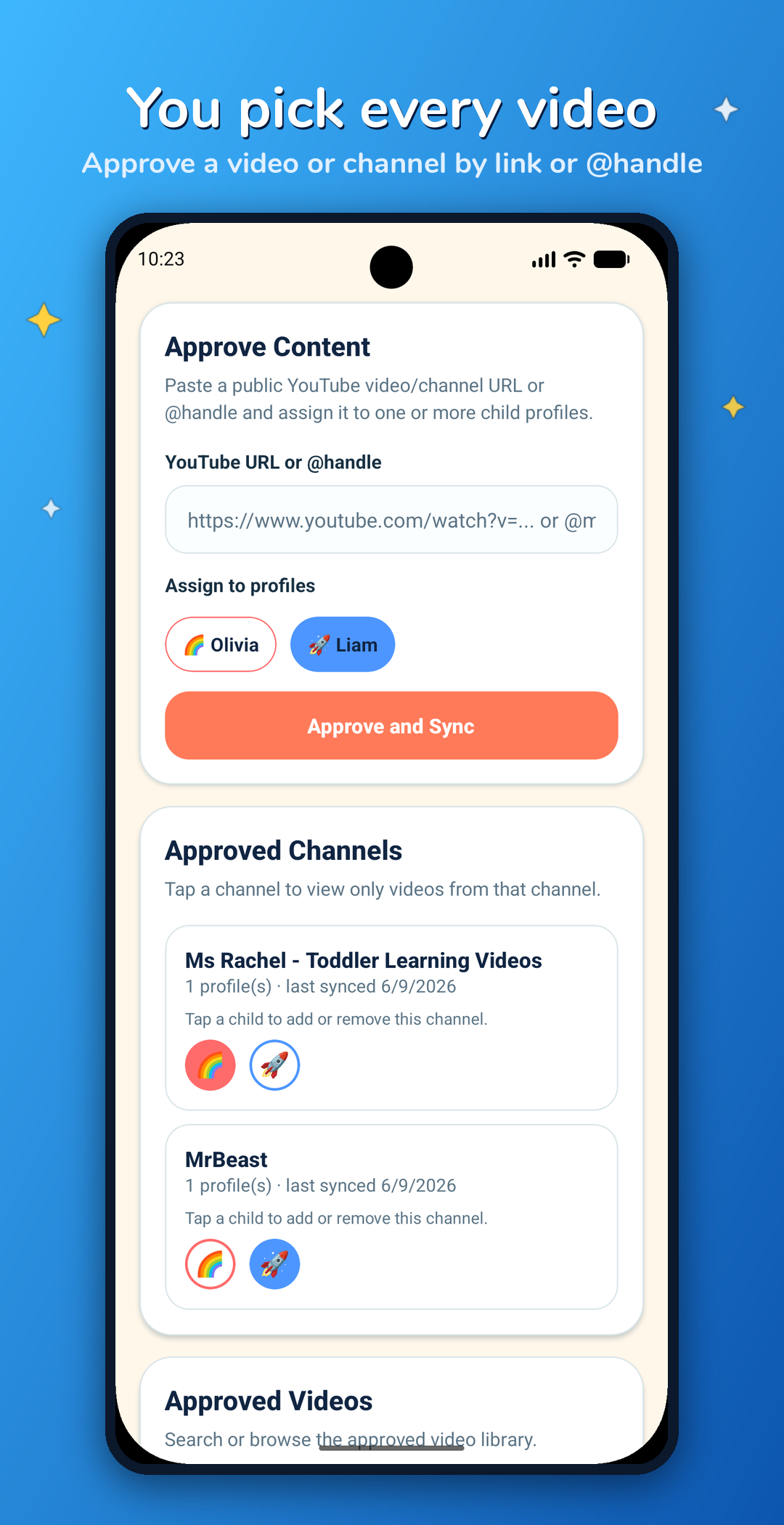
Paste a YouTube link or @handle to approve individual videos or entire channels. Nothing reaches your child until you've added it.

🚫

No Shorts. Ever.

YouTube Shorts are addictive endless loops. Kidz Playlist blocks them completely — kids only see full-length videos you chose.

👶

Profiles for Each Kid

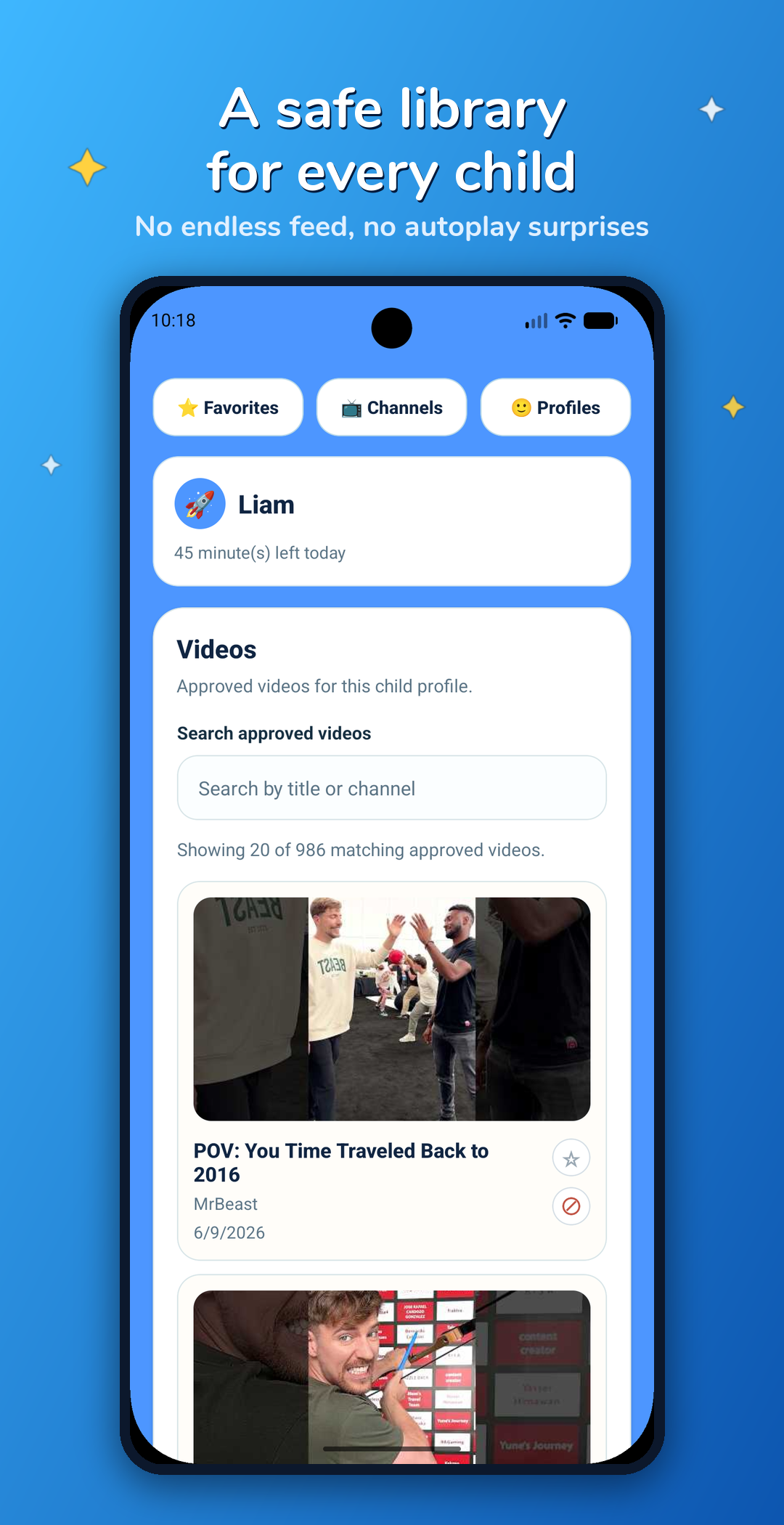
Create a separate profile for every child, each with their own approved library. Curate differently for your toddler and your ten-year-old.

Daily Time Limits

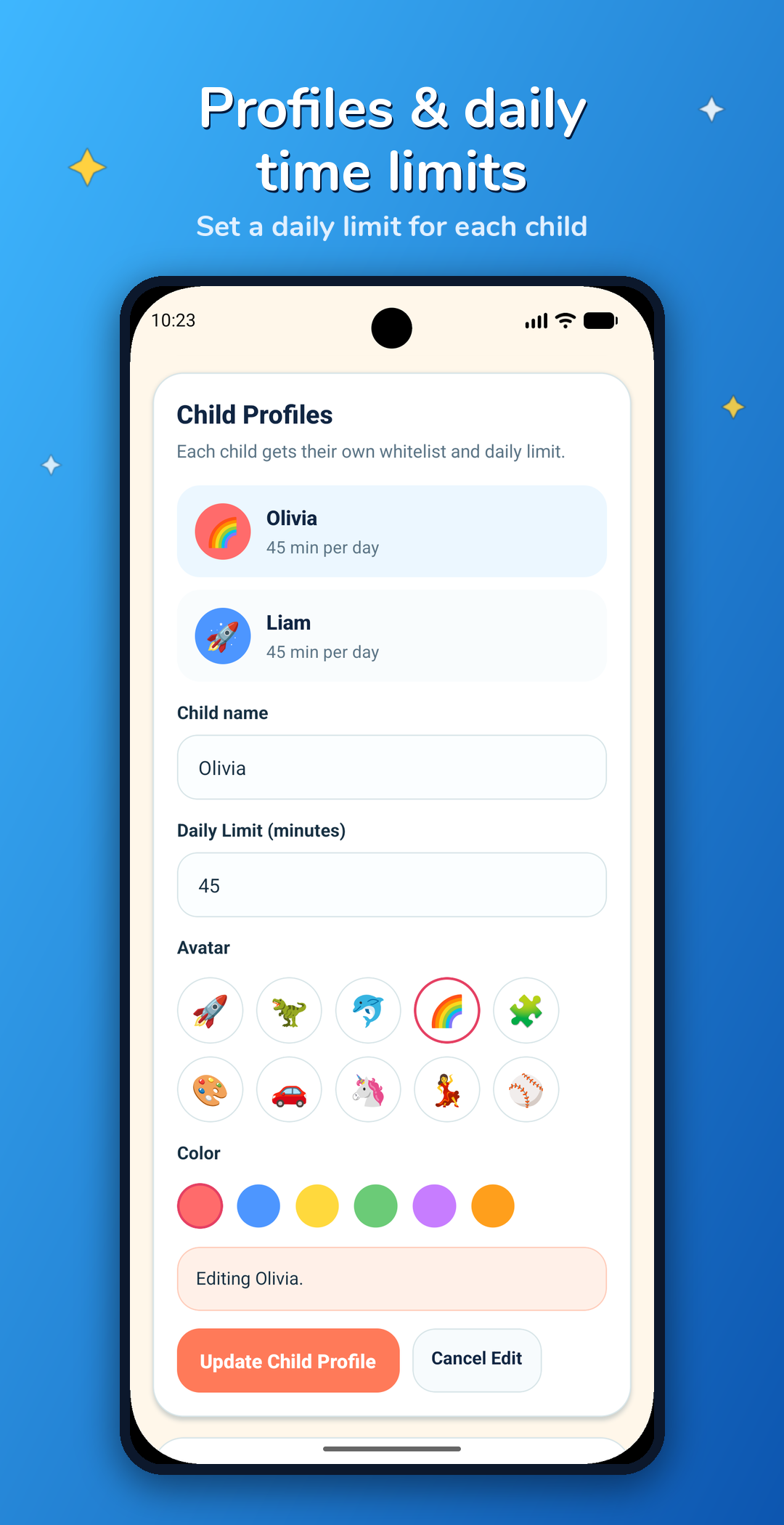
Set how many minutes per day each child can watch. When time's up, watching stops — no arguments needed.

🔒

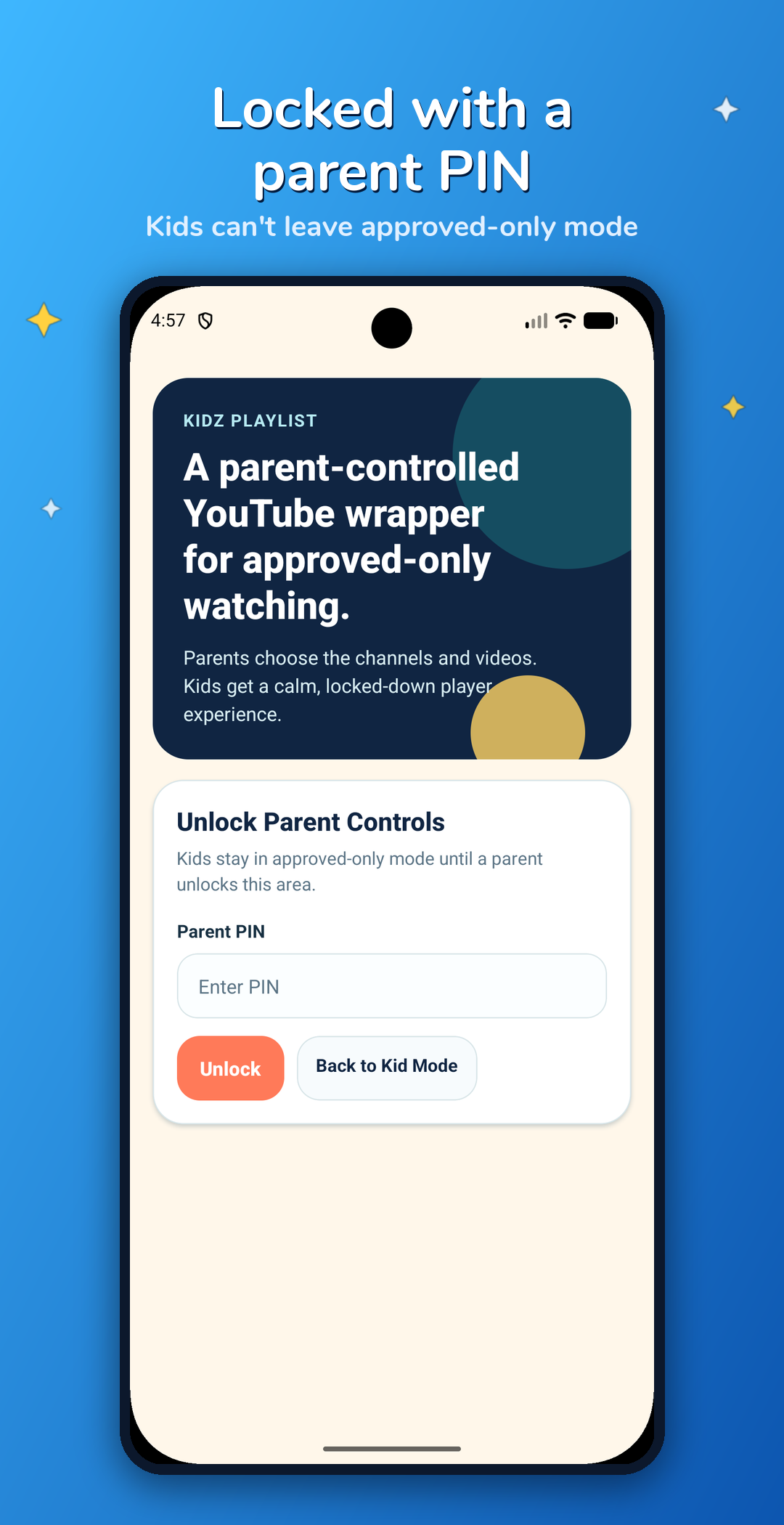
Parent PIN Lock

The entire parent area is locked behind a PIN. Kids stay in their safe, approved-only zone and can't change anything.

🛡

Block Any Video

Approved a channel but don't like one specific video? Block it individually. You always have the final say.

A peek inside the app

Real screenshots from Kidz Playlist — showing just how easy it is to build a safe YouTube experience for your family.

Approve videos and channels

Approve Content

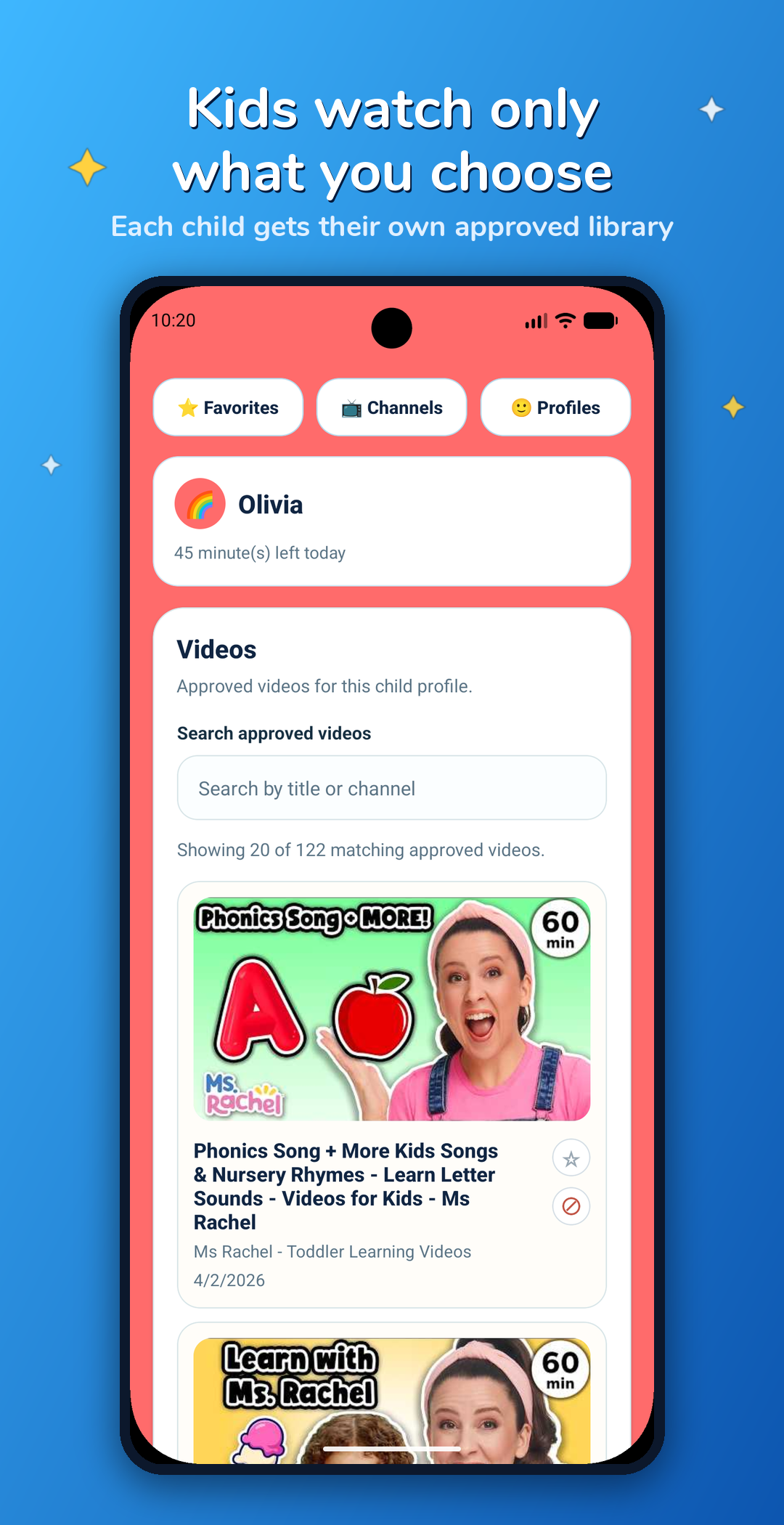
Browse your approved library

Approved Library

Each child's safe library

Kid's Safe Library

Profiles and daily time limits

Profiles & Limits

Parent PIN lock

Parent PIN Lock

Up and running in 2 minutes

No account needed. No subscriptions. Just download and start building your kid's safe playlist.

1

Set Your PIN

Create a parent PIN to lock the settings area from little fingers.

2

Add Your Kids

Create a profile for each child with a fun avatar and daily time limit.

3

Approve Videos

Paste YouTube links for videos or channels you trust. That's your kid's library.

4

Hand It Over!

Switch to kid mode and hand the device over. They only see what you approved.

🔐

Private by Design

Your family's data stays on your device. We don't collect profiles, watch history, or approvals. We don't track your kids. Nothing is uploaded — ever.

Coming Soon to Android & iOS!

Kidz Playlist is almost ready. Be among the first families to take back control of screen time.

Free to download. No ads. No subscriptions.